How to work with the Oracle database home page
In this chapter, learn how to work with an Oracle database, including how to start and stop the Oracle database and use the database homepage, before learning how to use Oracle SQL Developer.
 |
|
 |
|
|
|
This chapter from Murach's Oracle SQL and PL/SQL explains how to work with Oracle SQL Developer and other tools. In this section, learn how to work with an Oracle database, including how to start and stop the Oracle database and use the database homepage -- important skills to know before working with Oracle SQL Developer.
Table of contents:
 How to work with an Oracle database home page
How to use SQL*Plus in Oracle
How to use SQL Developer to work with an Oracle database
How to view and edit table column definitions
How to use SQL Developer to run SQL statements
How to use the Oracle Database SQL Reference manual

Since Oracle Database 11g Express Edition has not been released as of press time for this book, this topic uses Oracle Database 10g Express Edition to illustrate the skills for working with the Oracle Database. However, when the Express Edition of 11g becomes available, you should be able to use similar techniques to work with that version of the Oracle Database.
How to start and stop the database service
If you installed the Express Edition of the Oracle Database on your computer as described in appendix A, the database service starts automatically when you start your computer. This piece of software is often referred to as the database server, or the database engine. It receives SQL statements that are passed to it, processes them, and returns the results.
The database listener also starts automatically when you start your computer. This piece of software listens for requests from remote clients and returns the results to them.
From time to time, however, you may want to stop the database. If, for example, you aren't going to be using the database and you want to free the resources on your computer, you can stop the database. Or, if the port that is being used by the Oracle Database conflicts with another program, you can stop the database. Then, when you want to work with the database again, you can start it.
|
||||
|
|
|||
|
||||
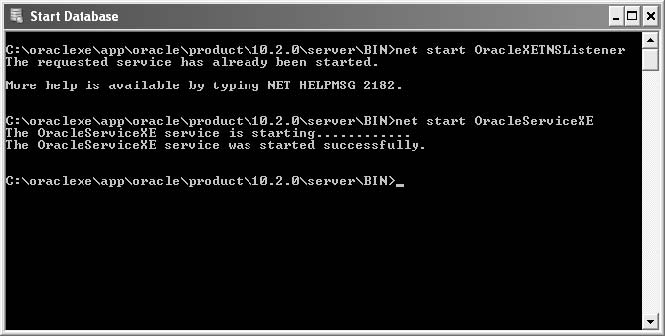
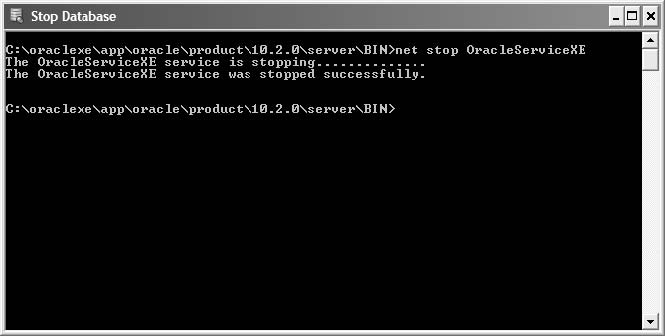
The easiest way to start the database service and listener is to use the Start Database command that's available from the Windows Start menu. When you select this command on a Windows system, a DOS window will be displayed that indicates the status of the Oracle listener and service.
How to stop the database
The DOS window that's displayed when the database is being stopped
How to start the database
The DOS window that's displayed when the database is started
Figure 2-1 How to start and stop the database service
Description
- After you install the Oracle Database, the database service and database listener start automatically each time you start your computer. The database service can also referred to as the database server or the database engine.
- To stop or start the database server and listener, you can use the commands that are available from the Windows Start menu.
- When Oracle Database 11g Express Edition becomes available, you should be able use a similar technique to stop and start that version of the Oracle Database.
How to use the database homepage
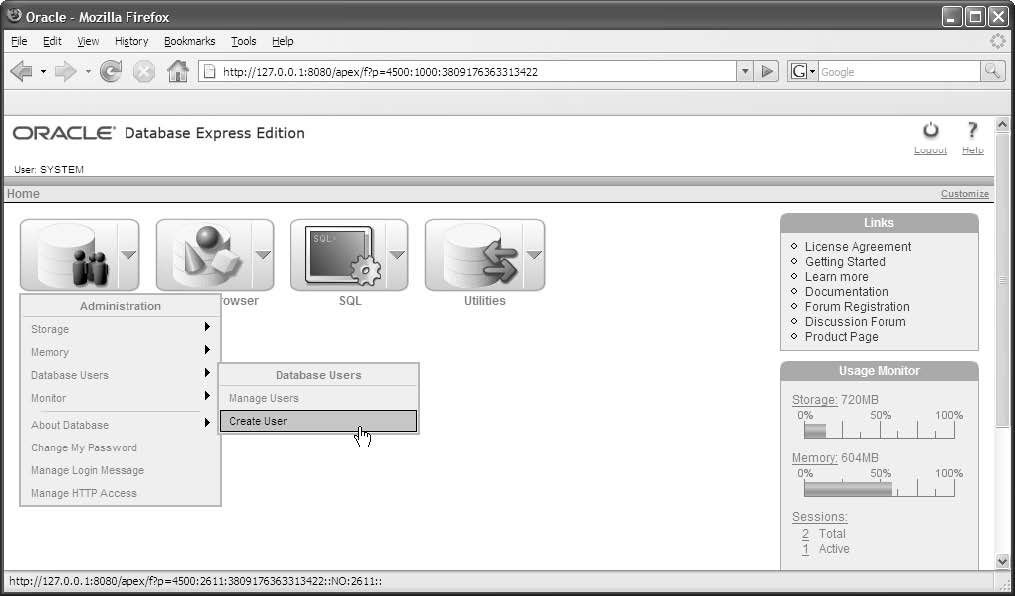
Figure 2-2 shows how to use a web-based tool known as the Database Home Page to work with an Oracle database. This tool is installed when you install the Oracle Database as described in appendix A, and it's useful for handling some tasks. In particular, it provides a way to create a new user for the database.
To begin, you can start the Database Home Page by selecting the Go To Database Home Page command from the Windows Start menu. Then, you can log in as the system user. If you followed the advice of appendix A, that means you'll use "system" as the username and "system" as the password.
After you've logged in, you can use the Create User command and the resulting web page to create a new user. When you create a new user, you provide a username and a password. You can also limit the types of tasks that the user will be able to do. In chapter 12, you can learn more about this. But for now, you don't need to restrict any of the user's privileges when you create a new user.
You can get a feel for the functionality that's available from the Database Home Page by browsing through its Administration, Browser, SQL, and Utilities menus. If you do that, you'll see that you can use this tool to accomplish a wide range of tasks. For most tasks, though, it's easier to use the SQL Developer tool that's described later in this chapter.
The Database Home Page
Figure 2-2 How to use the Database Home Page 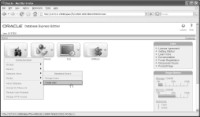
Figure 2-2 How to use the Database Home Page
How to start the Database Home Page
- From the Windows Start menu, select All Programs -->Oracle Database 10g Express Edition --> Go To Database Home Page. Then, use the Database Login page to log in.
- Log in as the system user, select the Administration --> Database Users -->Create User command, and use the resulting web page to create the user.
- The Database Home Page is a web-based tool that's installed with the Oracle Database. You can use it to work with an Oracle Database.
- After you log in, you can use the Administration, Browser, SQL, and Utilities menus to work with the database.
- For most tasks, it's easier to use the SQL Developer tool that's described later in this chapter.
Download the chapter "How to use Oracle SQL Developer and other tools" in PDF form.
Continue to the next section: How to use SQL*Plus in Oracle